
DELTA

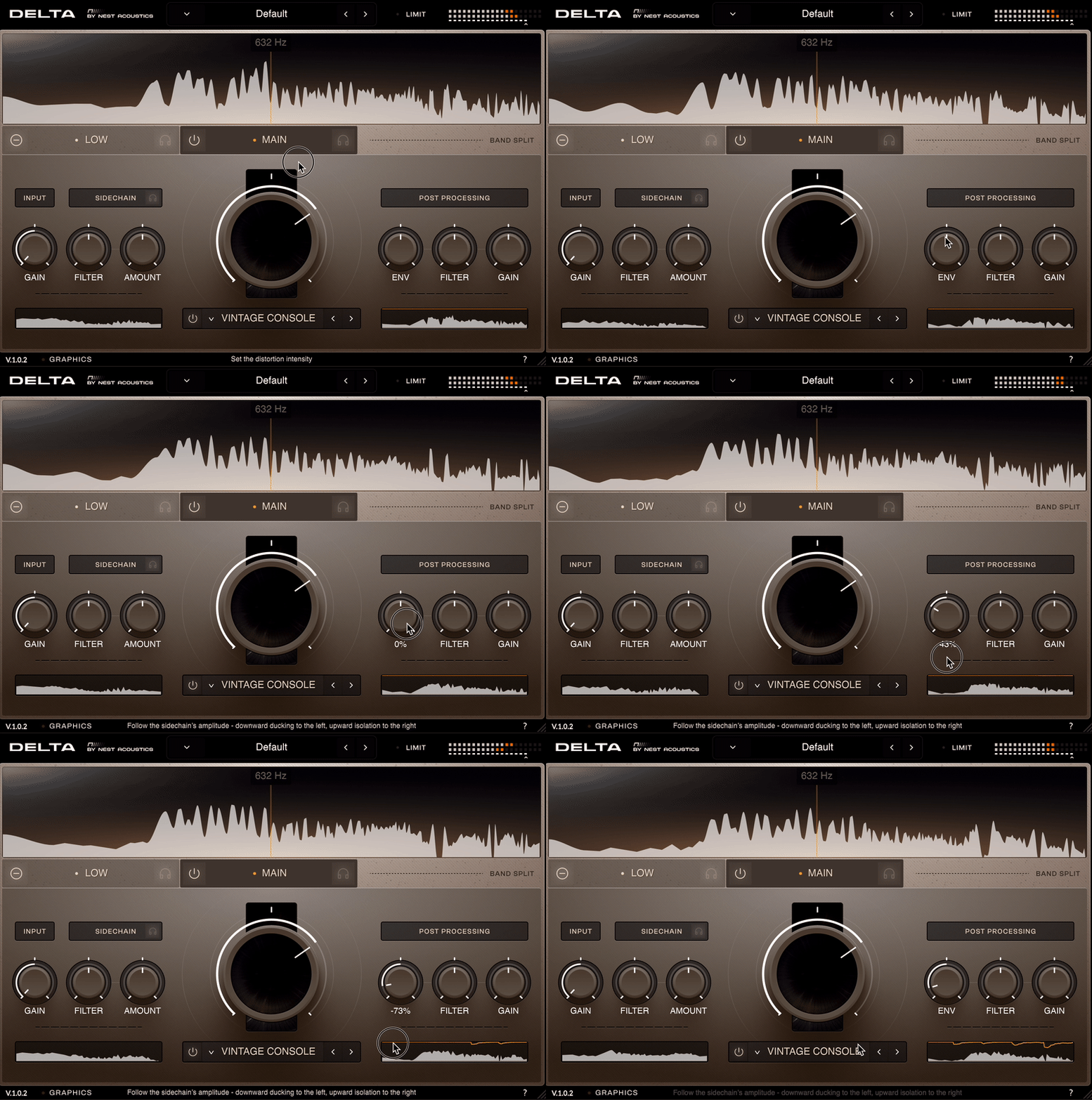
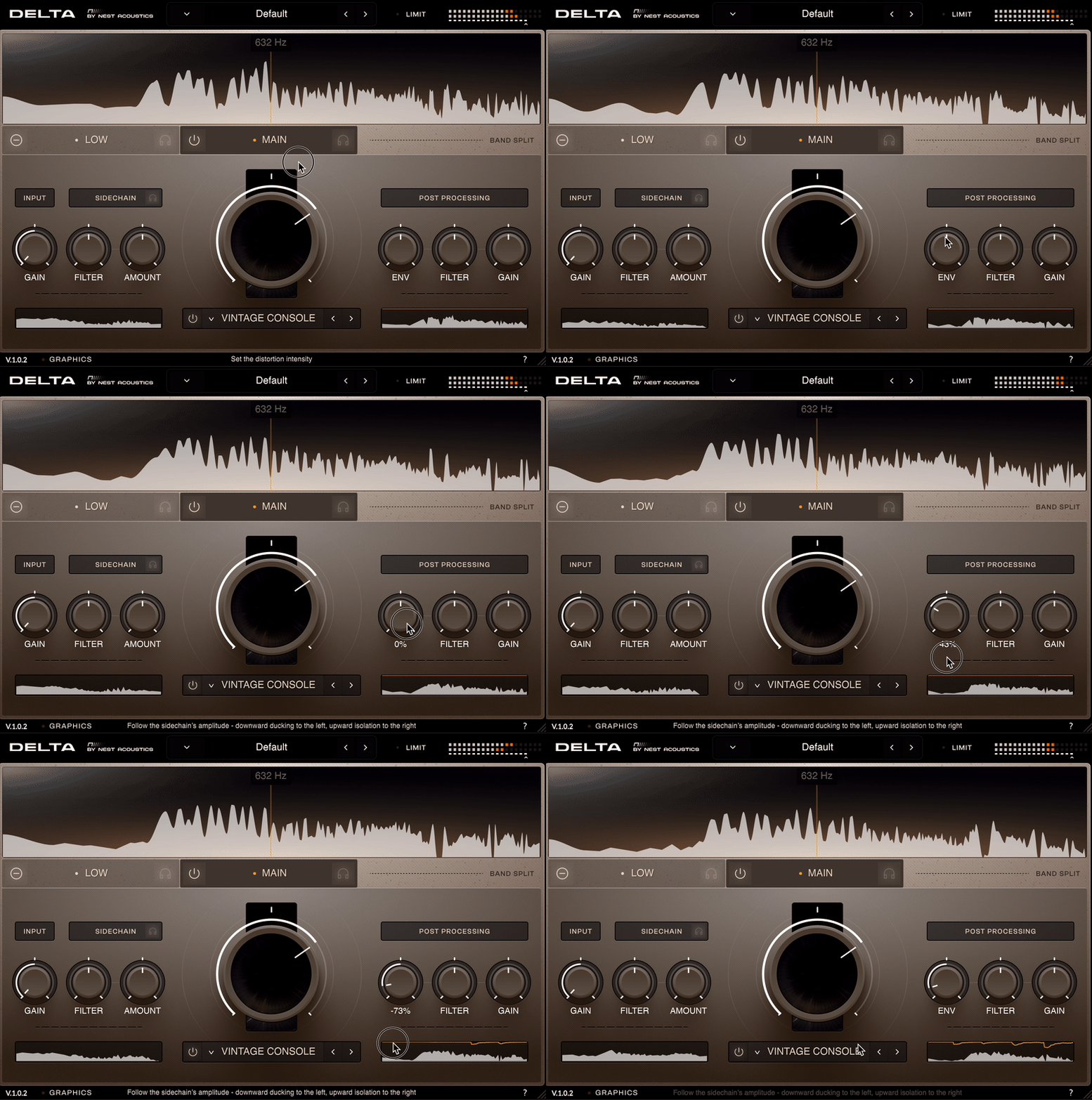
DELTA by NEST.Acoustics is a powerful sidechain-distortion plugin and my first ever commercially released sidechain plugin for VST3/AU/AAX.
It was a hard fought battle of designing 10 different saturation algorithms, and upwards of 10 different animations (sidechain reduction, gain meter, FFT paths, oscilloscope, etc.).
Main Features:
- Dual-band with a crossover slider for separate distortion of the highs and lows on both the input and sidechain signals.
- 10 different saturation algorithms from clippers to sinefolding.
- Envelope shaping following the sidechain signal for either ducking or gating.
- Released for VST3/AU/AAX with codesigned package installers on macOS and Windows
The rest is pulled straight from the user guide for more information:
Controls
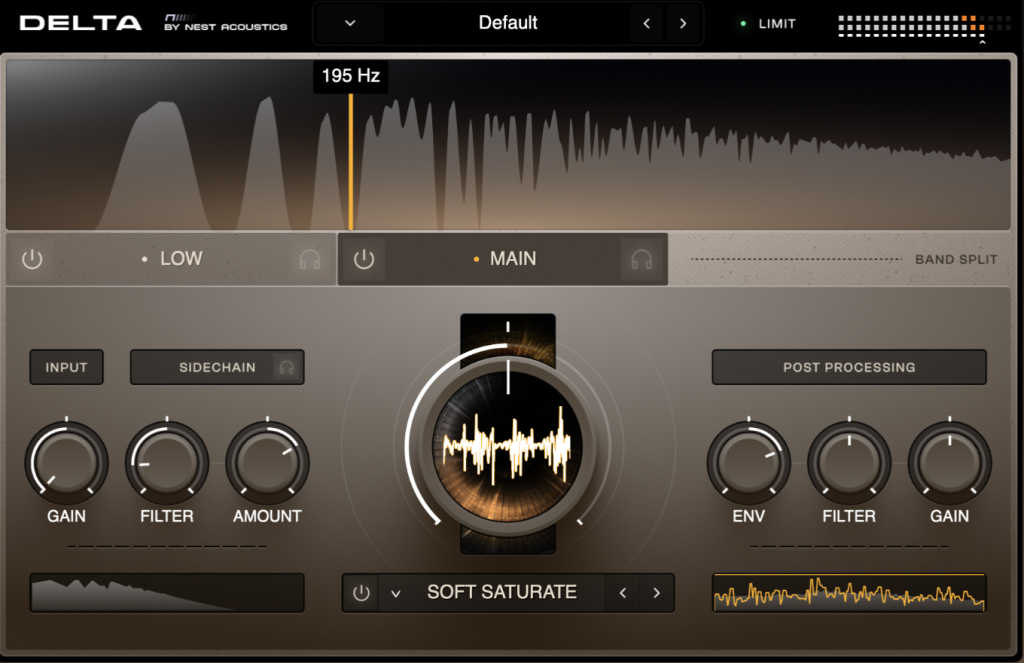
1. Intensity: Controls the distortion intensity — each of the distortion types scale differently with their own unique nature of intensity growth. Experiment with combinations of sidechain gain vs distortion intensity!
2. Distortion Enable: Enables or bypasses the distortion processing altogether, if you want just clean ducking or filtering.
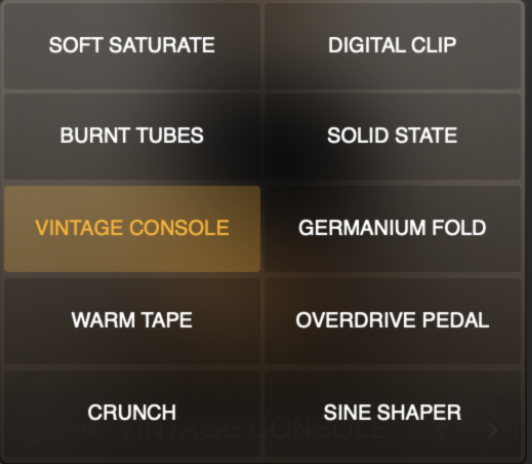
3. Distortion Type: Click on the distortion name or dropdown arrow to open the distortion selection window. You can also click the left and right arrows to cycle through distortion types.
4. Input Gain: An auto-compensated gain on your main audible signal. By default, the main signal remains completely clean at -40dB, but you can increase its gain to apply some of the distortion directly to the main signal if desired.
5. Sidechain Pre-Filter: Filter the sidechain signal before distortion – Low pass to the left, high pass to the right. Handy for focusing which part of your sidechain signal you want to trigger the distortion, such as isolating the kick of a drum loop, or cutting the lows of a sidechained synth to transfer only a high sizzle through the distortion.
6. Sidechain Amount: Controls the gain of the sidechain signal going into the distortion. Also impacts the sensitivity for the ducking control.
7. Sidechain Monitor: Solos the sidechain signal for that band. Especially handy to dial in the pre-filter.
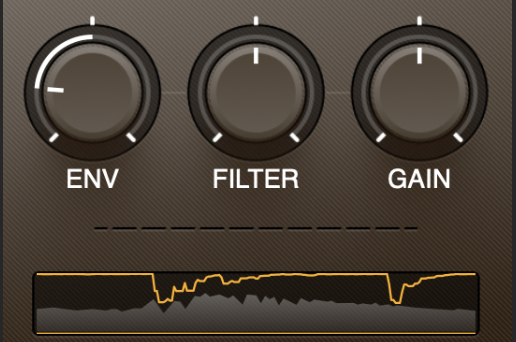
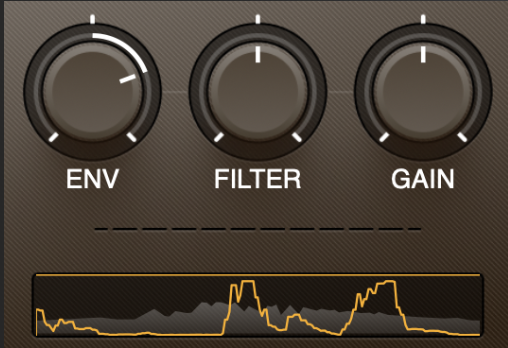
8. ENV: Turn to the left for downward compression following the sidechain’s amplitude, or turn to the right to engage an upward dynamic gate.
9. Post Filter: Filter the band output after distortion – low pass to the left, high pass to the right. A fun trick is to keep the Main Band enabled but clean (saturation bypassed), then saturate the Low Band and filter its output to shave off the highs of the saturation without losing the highs of the main signal.
10. Gain: Control the final output level for the selected band.
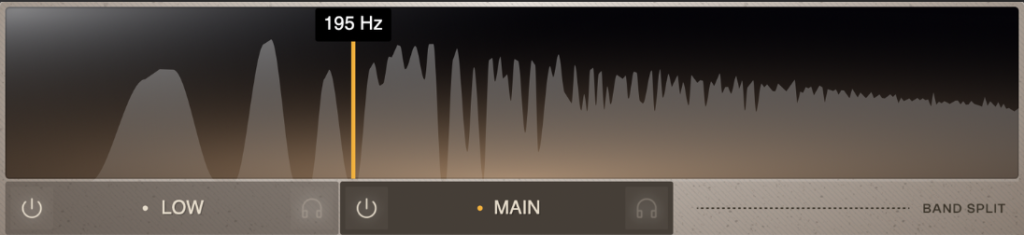
11. Main Band Enable / Low Band Enable: Turn the band splits on or off.
12. Main Band Solo / Low Band Solo: Solo the band splits.
13. Band Crossover: Drag to set the crossover frequency for the band split. The split only applies to the primary signal, and does not split the sidechain signal. The full spectrum of the sidechain signal is sent to both band splits. When only one band is enabled, the crossover is disabled and the entire spectrum of the primary signal goes to the enabled band.
14. Limit/Output: Toggle on/off a simple soft limiter on the final output of the plugin, and control the overall output level.
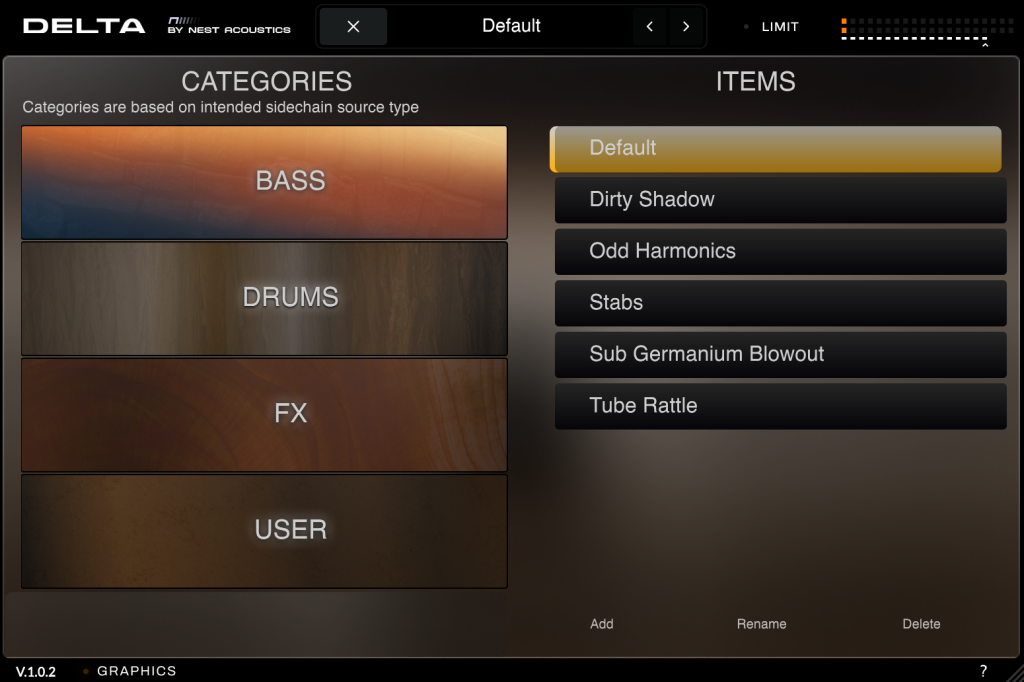
15. Preset Box: Save and browse presets. Click on a category, and then select “Add” to save a new preset. You may also rename or delete a selected preset.
Workflow
1. Insert DELTA as an effect on an audio or instrument track.
2. Route Another Track as a sidechain input (see the “How to Set Up DELTA’s Sidechain” section below).
3. Starting with the Intensity Knob (1) experiment with distortion types and intensity amounts.
4. Use the other controls to dial things in to your purposes:
– Initially, the distortion will only really activate via the sidechain signal. Turn up the Input Gain (4) if you want to get some non-sidechained distortion directly on your main signal.
– Adjust the Sidechain Pre-Filter (5) as needed; for example, if you have a full drum loop as the sidechain signal but you only want the kick to drive the distortion, turn the filter toward the left.
– Use the Sidechain Amount (6) to adjust the sidechain level going into the distortion process. The ENV control is not affected by this Amount knob, so feel free to dial it in for the right distortion amount without worrying about altering the ducking or gating sensitivity.
– The ENV Knob (8) is your friend; turning to the left, it adds a volume reduction following the shape of your sidechain, which really helps dial in the effect in many cases. Turning to the right, ENV acts as a dynamic gate, isolating your output to follow the amplitude of the sidechain. Truly endless possibilities – great way to create gritty texture that traces perfectly with your bass line or drum part, or create a distorted vocal stutter effect, and beyond.
– You may want to use the Post Filter (9) especially when working with both bands; use this to filter out added high-end from the distortion on your low band, or scoop up added rumble on the main band.
5. Finally, the Band Output Gain (10) is there to level things out as needed.
Distortion Types
Each algorithm offers unique properties in tone and dynamic response. From abrupt and merciless to gradual and adaptive; bright and gnarly to warm and nuanced.
– Soft Saturate: A classic equation with a smooth onset curve making for a familiar, versatile starting place.
– Digital Clip: Brutally raw mathematical clipping, there is no room for subtly here. Use it with a sidechained 808 for true destruction or other heavy-handed sound design situations.
– Burnt Tubes: Carefully emulating the unique “hairy” texture of abused vacuum tubes. Sidechain your kick or snare to transfer a gritty sparkle to top loops or overheads.
– Solid State: Faithfully capturing a brand of transistor distortion beloved by many from 90s grunge to early hard techno.
– Vintage Console: Perhaps the shining star of the entire bunch, providing dynamic sensitivity and frequency-dependent coloration responsible for fuzzy feelings around the world for generations.
– Germanium Fold: Viscerally analog and dynamically responsive. A truly original cocktail of gentle, unpredictable foldback ripples leading into a nasty hardware-style ceiling.
– Warm Tape: One for the lofi heads, this mode softens the high-end frequency response in conjunction with the delicate bite of a cassette player pushed too far.
– Overdrive Pedal: A meticulous recreation of a wonderfully essential stomp box, happy to accommodate any range of sources and desired emotional outcomes.
– Crunch: Tactile and visceral, borrowing a page from analog processing combined with the advantages of digital creativity. High frequencies take early damage as the breakage trickles down at higher intensities.
– Sine Shaper: A uniquely optimized spin on sine wave exponential distortion. Sound design, experimentation, and general noisifying are greatly rewarded here.